Paste your Eventbrite link and your event moves over.

Do it on the web or in the Vessa app. It pulls in the flyer, date and venue, and nothing goes on sale until you press Go live. Tickets you already sold on Eventbrite stay sold.

Start on the webOr get the iPhone appOr get the Android app

Works on any phone or computer. Sign in with your email, start a new event and paste your Eventbrite link.

Sell 300 tickets at $20 and your guests pay $369 less in fees than on Eventbrite.

Calculate what you’d save
You sell on

+$3,510

more goes to you instead of to fees every year, with your guests paying no more than they pay on Eventbrite today, before sales tax.

Each ticket+$1.17
Each night+$292.50
Over 3 years+$10,530
How this is worked out
  1. On Eventbrite, a $20.00 ticket carries a $3.18 fee (3.7% + $1.79, then 2.9% processing on the total), so your guest pays $23.18.
  2. Price the same ticket at $21.17 on Vessa. Our fee is $2.01 (5% + $0.95, card processing included), so your guest pays $23.18, the same.
  3. Your ticket price is $21.17 instead of $20.00: $1.17 more of each ticket goes to you instead of to fees.
  4. $1.17 × 250 tickets × 12 nights = $3,510 a year, and $10,530 over 3 years.
  5. Before sales tax. In Texas your guests pay the state sales tax on top of the price and Vessa sends it to the state, because the law makes ticketing marketplaces collect it. Wherever you sell, that tax is owed; on a platform that does not collect it, you pay it yourself.

Fees on 3,000 tickets at $20

Posh$8,970
Eventbrite$9,540
Vessa$5,850

The figure above is a little under the gap between these bars, because our 5% is charged on the higher price in step 2.

Or keep your price where it is and your guests pay 39% less in fees than on Eventbrite. Same fee either way; you choose which way the difference goes.

An estimate, not a promise. It assumes every ticket sells at this price, your guests pay the platform fee on both, and nothing is refunded or charged back. Before any sales tax. Rates as published by each platform; see the note at the bottom of this page.

An estimate from published rates, assuming every ticket sells and nothing is refunded. Pricing terms.

What your guests see when they tap your link.

A real night on Vessa: Come And Take It’s costume party in Dallas.
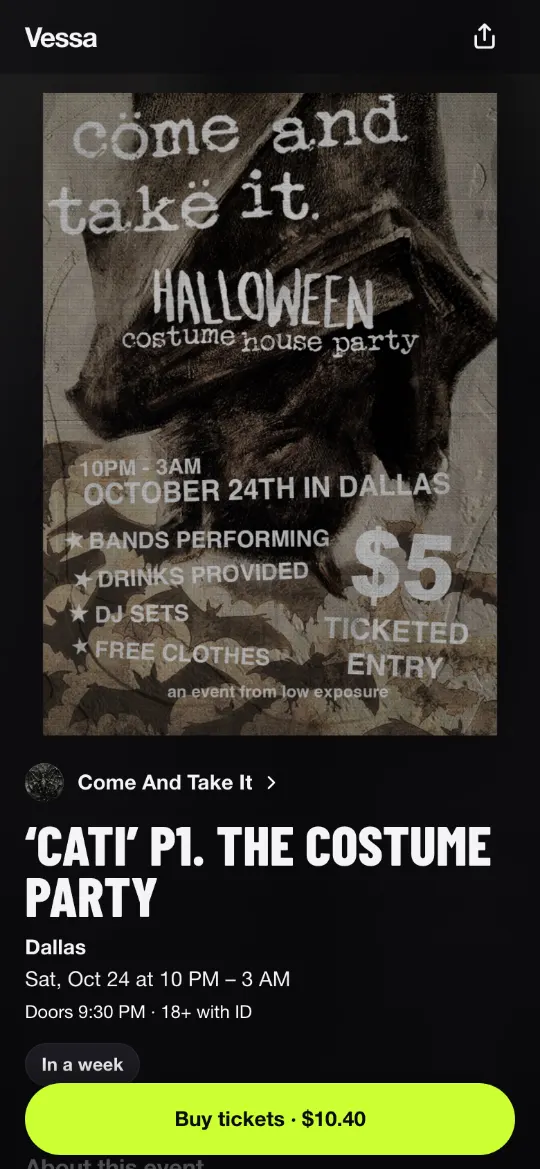
The event page on a phone: the Come And Take It flyer, the title CATI P1. The Costume Party, Dallas, Saturday 24 October at 10 PM, and a Buy tickets button.
They tap your link. Your flyer, the night and one button.
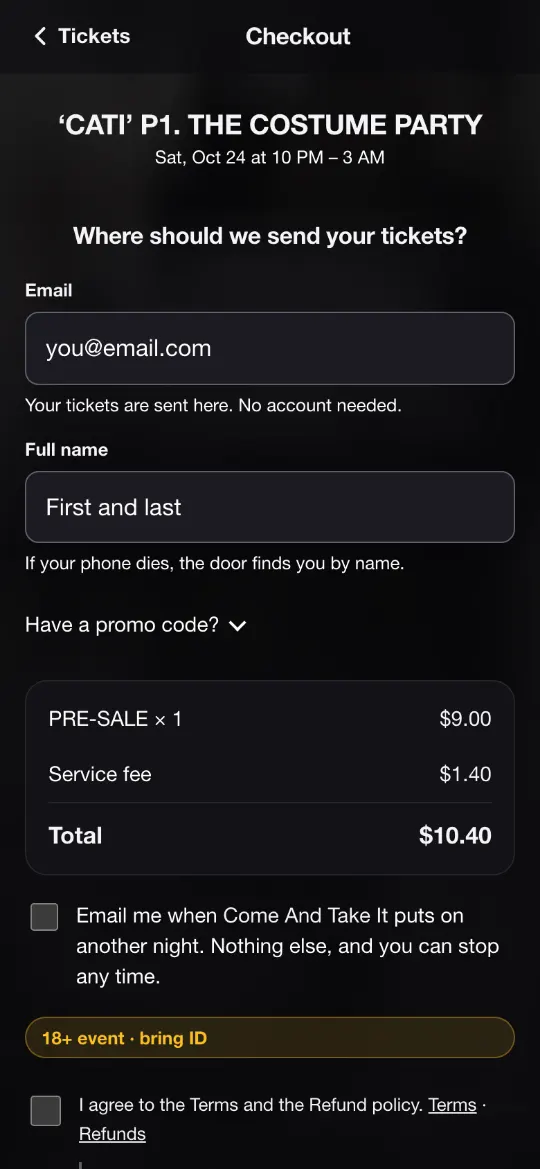
Checkout on a phone: an email field, a name field, and the total, a $9 ticket plus a $1.40 fee, $10.40.
No account to make. An email, the total, then Apple Pay or a card.
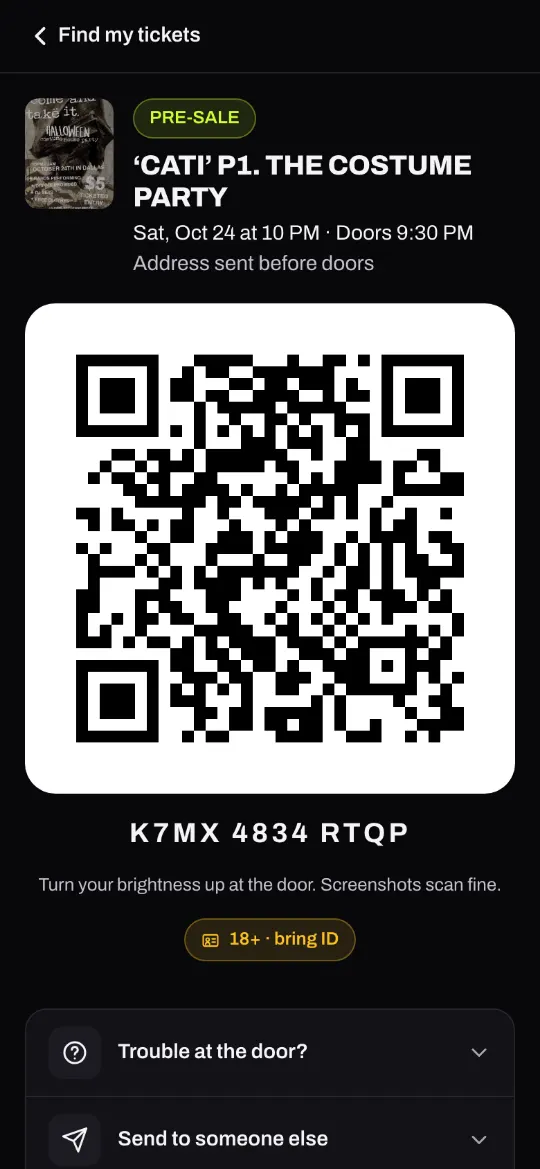
The ticket on a phone: the flyer, PRE-SALE, the night and its time, and a large QR code.
Their ticket, by email. It opens on their phone. Screenshots scan fine.

Switching starts with one paste.

Bring your event

Start on the web or in the Vessa app on iPhone or Android, sign in with your email, start a new event and paste your Eventbrite link. Name, date, venue and flyer fill in; add your ticket prices next. Also on Posh? Posh links import in the Vessa app on iPhone or Android: the Posh numbers. In 13 states and DC, including New York, Florida and New Jersey, you finish Stripe’s questions before you go live.

What about tickets I already sold?

They stay sold, and that money stays on Eventbrite. Nobody is charged twice. Export your Attendees report from Eventbrite with Barcode Number ticked and upload it on your event’s Guests page. Their Eventbrite tickets scan at your Vessa door.

Get paid

Paid as tickets sell, with nothing to request and nobody to approve it. Until your first clean night (a night with 10 paying guests scanned in at the door, $200 and no chargebacks) it is up to $500 a week. In 13 states and DC you sell on your own Stripe account, and Stripe pays your bank on its own schedule (Payouts, below).

Run the door

Your staff scan with their own phones, from a link and a 6-digit code. Take cards with Tap to Pay on iPhone.

Paste your Eventbrite link.

Free to start. 5% + $0.95 a ticket when you sell.

Eventbrite: 3.7% + $1.79 a ticket, then 2.9% processing. Sources

Start on the webOr get the iPhone appOr get the Android app

Works on any phone or computer. Sign in with your email, start a new event and paste your Eventbrite link.

Already on Vessa? Sign in

Questions? Email hello@vessatickets.com. We check email every day and reply quickly.

Fees. Vessa: 5% + $0.95 a ticket, card processing included. Free tickets are free. No monthly fee, no minimum term. You pick who pays the fee, per event, before the first ticket sells. Eventbrite: a 3.7% + $1.79 service fee a ticket, then 2.9% payment processing on the ticket and that fee, its own published standard US rate as of October 2026. The examples assume every ticket sells at that price with nothing refunded or charged back, before any sales tax, and do not count any other charge, plan or discount either platform has. Fees change; that date is when we last checked.

Payouts. Your share of each card sale leaves Vessa on the next payout run after it is paid, into your Stripe payout account, from your first ticket. Nobody at Vessa approves a payout. Nothing is sent until your Stripe payout account is verified and you have accepted the organizer agreement; until then your share is held for you. 10% of each sale is held until 24 hours after the night. Until you have had one clean night on Vessa (as the organizer agreement defines it), up to $500 a week goes out before a night and the rest after it. If a bank reports a stolen card on one of your sales, that order may be refunded and for the next 30 days you are paid only after each night. Stripe then pays your bank on its own schedule, usually 2 to 4 business days after it reaches your Stripe account; a new Stripe account’s very first payout can take Stripe 7 to 14 days. A refund or chargeback on money already sent comes back out of your Stripe balance. Vessa can pause payouts in the cases the organizer agreement lists; pauses are usually reviewed within 24 hours. In Florida, DC, Oregon, Idaho, Connecticut, Maryland, Ohio, New Jersey, New Mexico, Utah, Rhode Island, Oklahoma, Wyoming and New York none of this applies: you sell on your own Stripe account, Stripe pays your bank on Stripe’s own schedule, and Vessa takes only its fee.

Moving over. Eventbrite links import on the web and in the Vessa app on iPhone or Android: sign in with your email, start a new event and paste the link. Nothing goes on sale until you press Go live. Tickets sold on Eventbrite stay paid on Eventbrite. On Eventbrite, export Reporting, then Event reports, then Attendees, as a CSV, and upload it on your event’s Guests page: each buyer is kept on your door list, checked in by name, or sent a free Vessa ticket with a QR code. Eventbrite barcodes scan when the export includes them: tick Barcode Number under Attendee info before exporting. A long list can take more than a day to send.

Door. Scanning works in the web browser of any phone with a camera, signed in with the door link and code. Scan a ticket twice and it says Already in. On card sales Vessa’s fee is 5% + $0.50 on an item sale of $5 or less, and the usual ticket fee on a bigger item sale, on door tickets and on typed amounts, taken from the price. Vessa takes no fee from cash. Tap to Pay on iPhone needs the Vessa iPhone app on a supported iPhone and is limited to $500 a charge. Until Stripe has verified a new account’s payouts, its door card sales are limited to $25,000 in any 24 hours, and to $1,000 a sale on a card not taken with Tap to Pay on iPhone.

Posh and Eventbrite are trademarks of their owners; Vessa is not affiliated with either. Tap to Pay on iPhone requires a supported payment app and the latest version of iOS. Update to the latest version by going to Settings > General > Software Update. Tap Download and Install. Some contactless cards may not be accepted by your payment app. Transaction limits may apply. Apple Pay, Tap to Pay on iPhone and iPhone are trademarks of Apple Inc.

Vessa Technologies LLC. © 2026.